Case study · Shopify · Liquid · TypeScript

SpeedSmash Shopify theme

RoleSolo developer
Year2026
StackLiquid, TypeScript, Vite
PlatformShopify Online Store 2.0
Store password123

A custom Online Store 2.0 theme for a badminton store, built so players can choose a racket by the numbers.

SpeedSmash is a demo badminton brand selling rackets, strings, shuttlecocks and a stringing service. I built its theme on Shopify: it started from Dawn and was rebuilt section by section on the brand's own design system, until no Dawn CSS or JavaScript was left.

Rackets are hard to pick from photos, so the store leads with the numbers that change how a racket plays: balance, flex and weight. Specs come from metafields and drive the filters, the compare table and a four-question finder that ranks every racket for the player.

Everything a merchant should change lives in the theme editor: sections, blocks and presets, two colour schemes, and English and Indonesian translations.

What I built

A store built around how a racket plays.

01

A racket finder: four questions about level, format, style and priority, scored against every racket's specs.

02

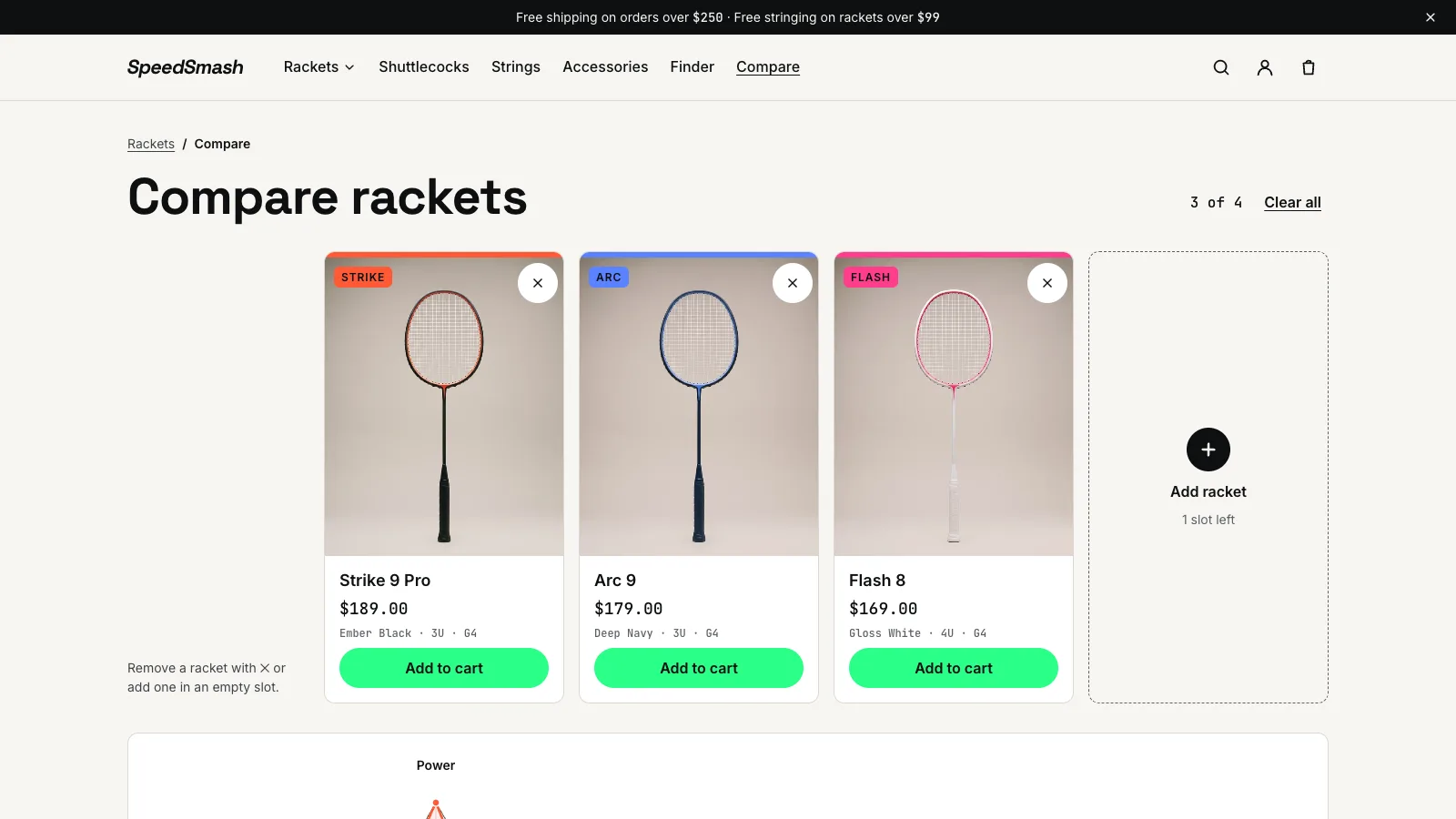
Compare up to four rackets side by side, with a tray that follows the shopper across pages.

03

Collection filters from Search & Discovery for series, weight, balance, flex, level and play style, updated without a page reload.

04

Stringing at checkout: pick a string, tension and knots on the racket page, added to the cart as a line paired with its racket.

05

A cart drawer with undo, suggestions and a free shipping bar, plus quick add from any product card.

06

Two colour schemes, English and Indonesian, self-hosted fonts and consent-aware GA4 tracking through a custom pixel.
How it worksOne flow for shoppers, one for shipping code.
Racket finderFour questions, one ranked shortlist.Every racket is scored out of 100 against the answers, in the browser, with no app or extra request.
01
Specs ship with the pageThe finder section renders each racket's level, flex, style and scores from metafields.
02
Answer four questionsLevel, format, style and what matters most. Keys 1 to 4 answer and the back arrow goes back.
03
Score every racketLevel counts for 40 points, style 25, priority 20 and format 15. The scoring is a pure, unit-tested function.
04
Show the best matchThe top racket with its reasons, the next best alternatives and one click to compare them all.
Merge to liveEvery merge ships, without undoing the merchant's edits.Code goes live through GitHub Actions, while the content the team sets in the theme editor stays where it is.
01
Open a pull requestFormatting, types, lint, tests, the build and Theme Check all have to pass.
02
Get a preview themeThe branch is pushed to its own unpublished theme, linked in a comment on the pull request.
03
Check performanceLighthouse runs against the preview and fails the build below the performance and accessibility budgets.
04
Merge to mainThe theme is pushed live, skipping templates and settings so editor changes are never overwritten.
05
Clean upClosing the pull request deletes its preview theme.
StorefrontShop by the numbers, then compare and buy.
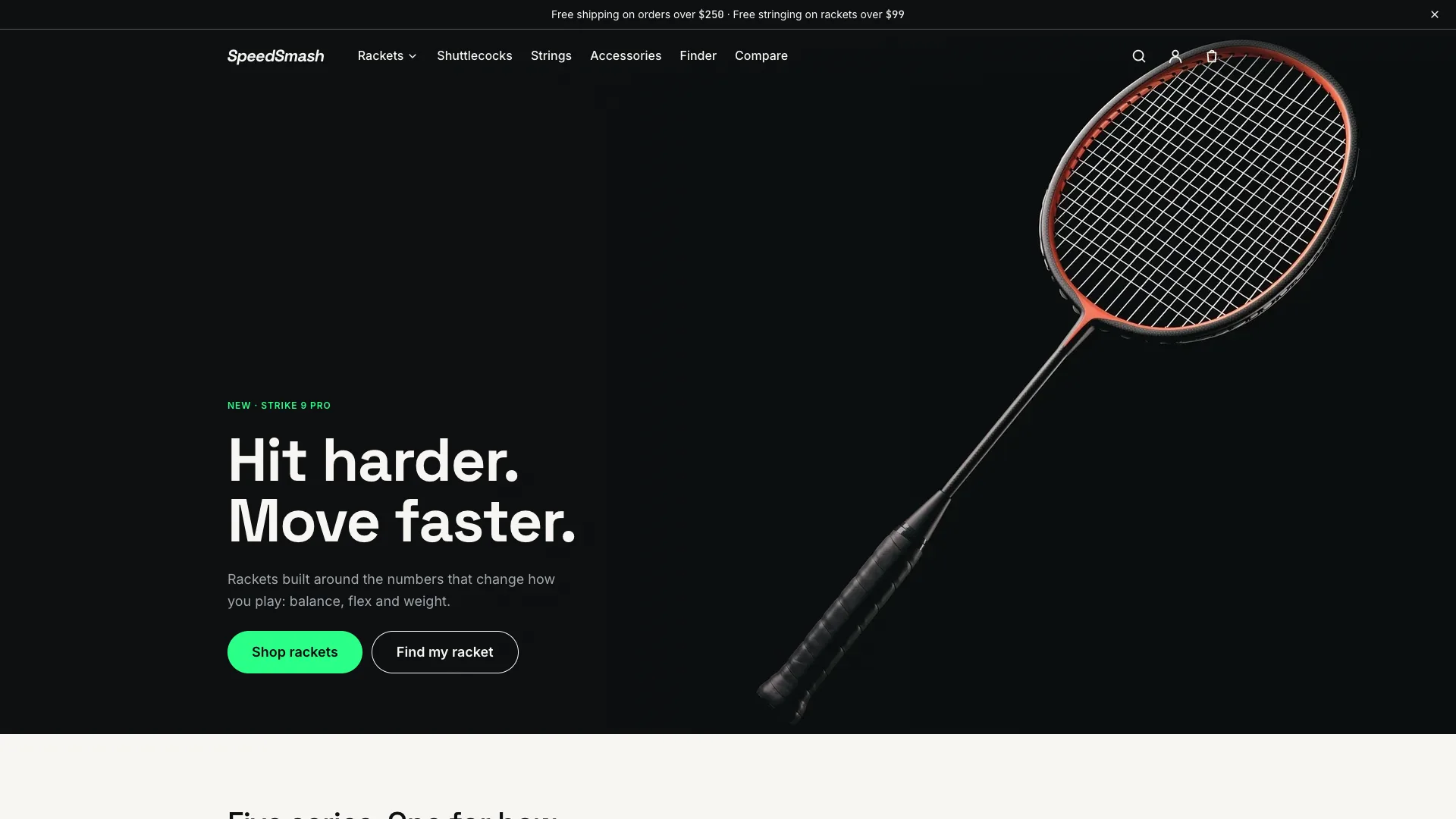
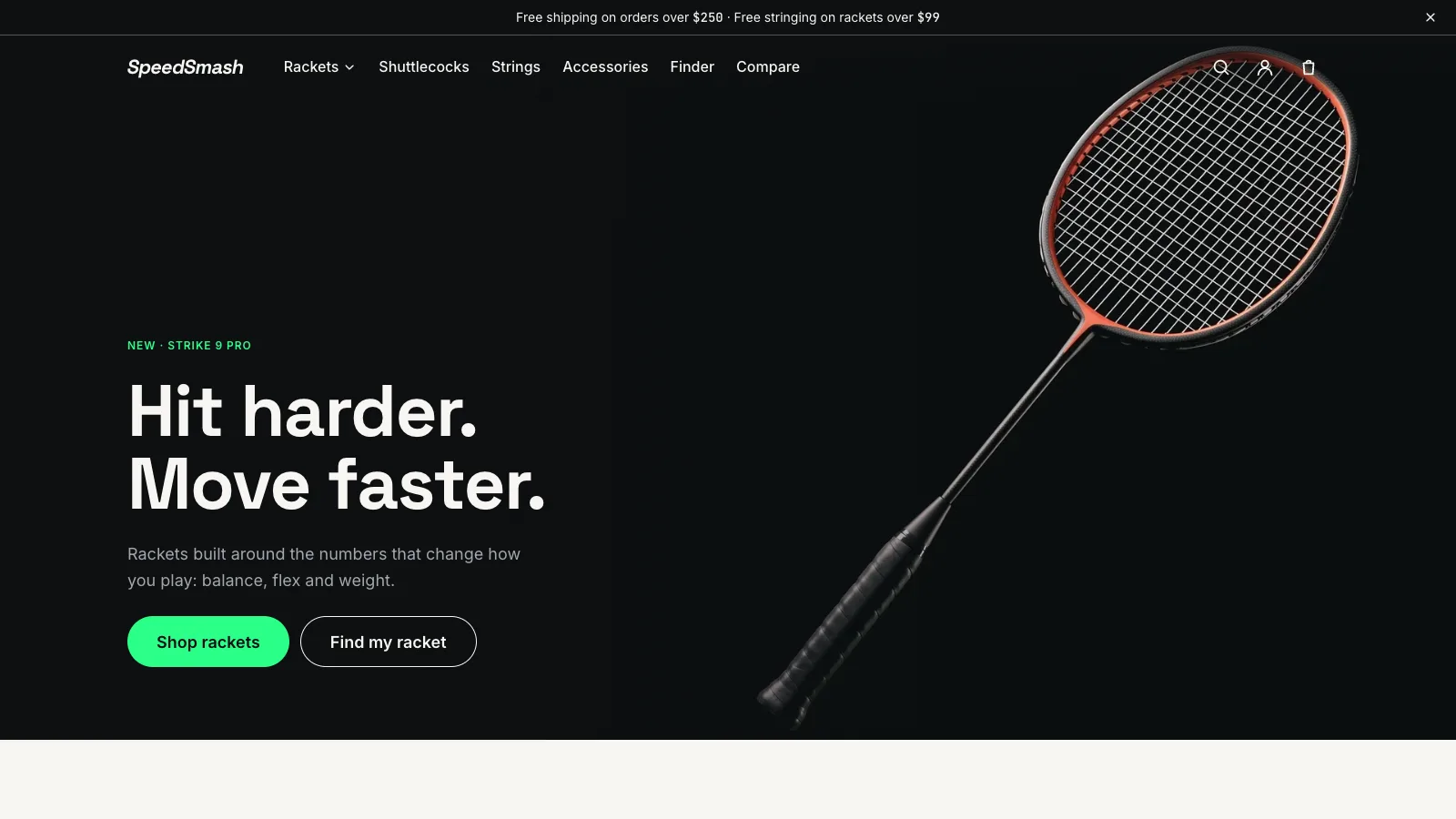
Home page with the new Strike 9 Pro.
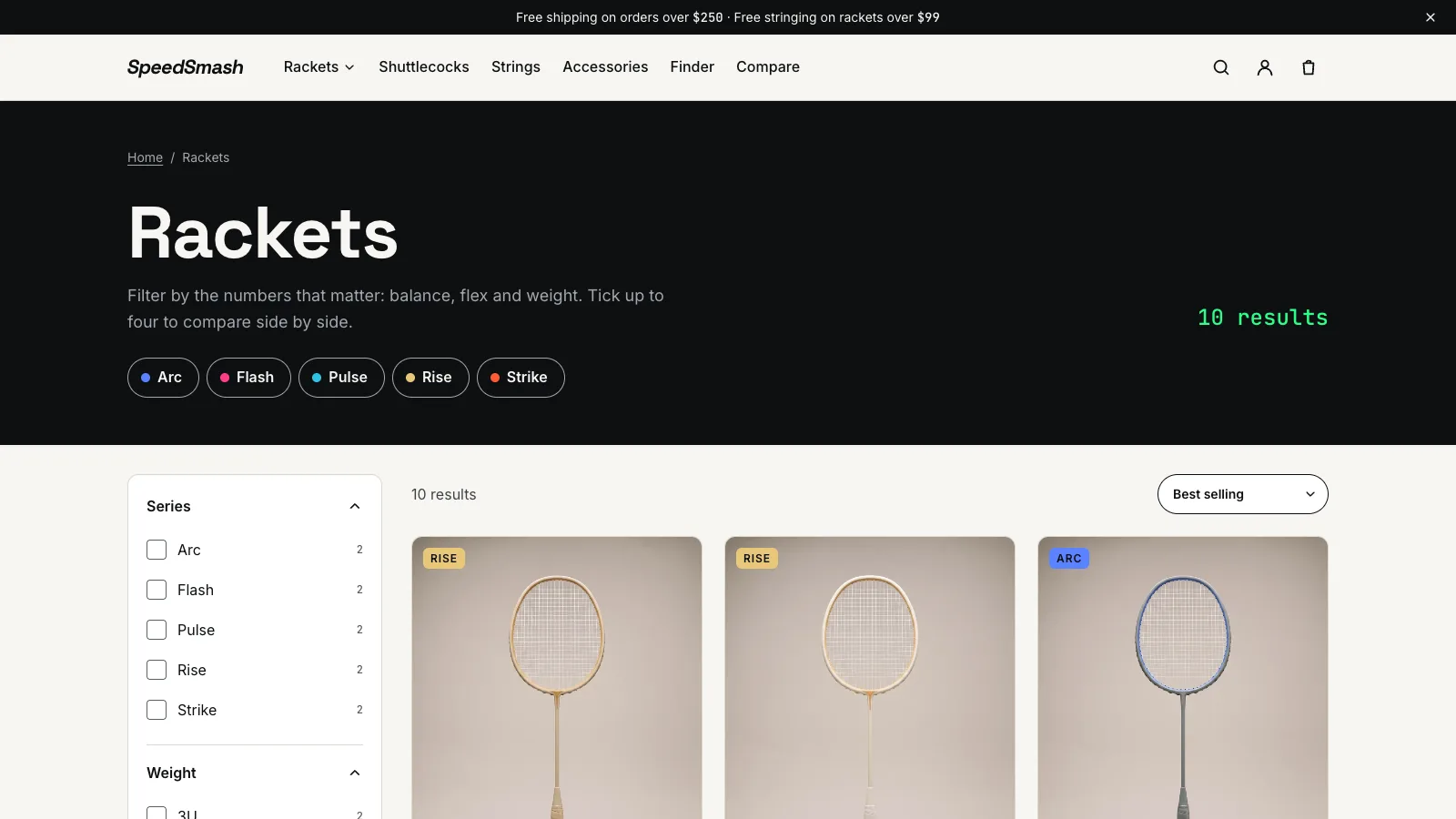
Rackets with series and spec filters.
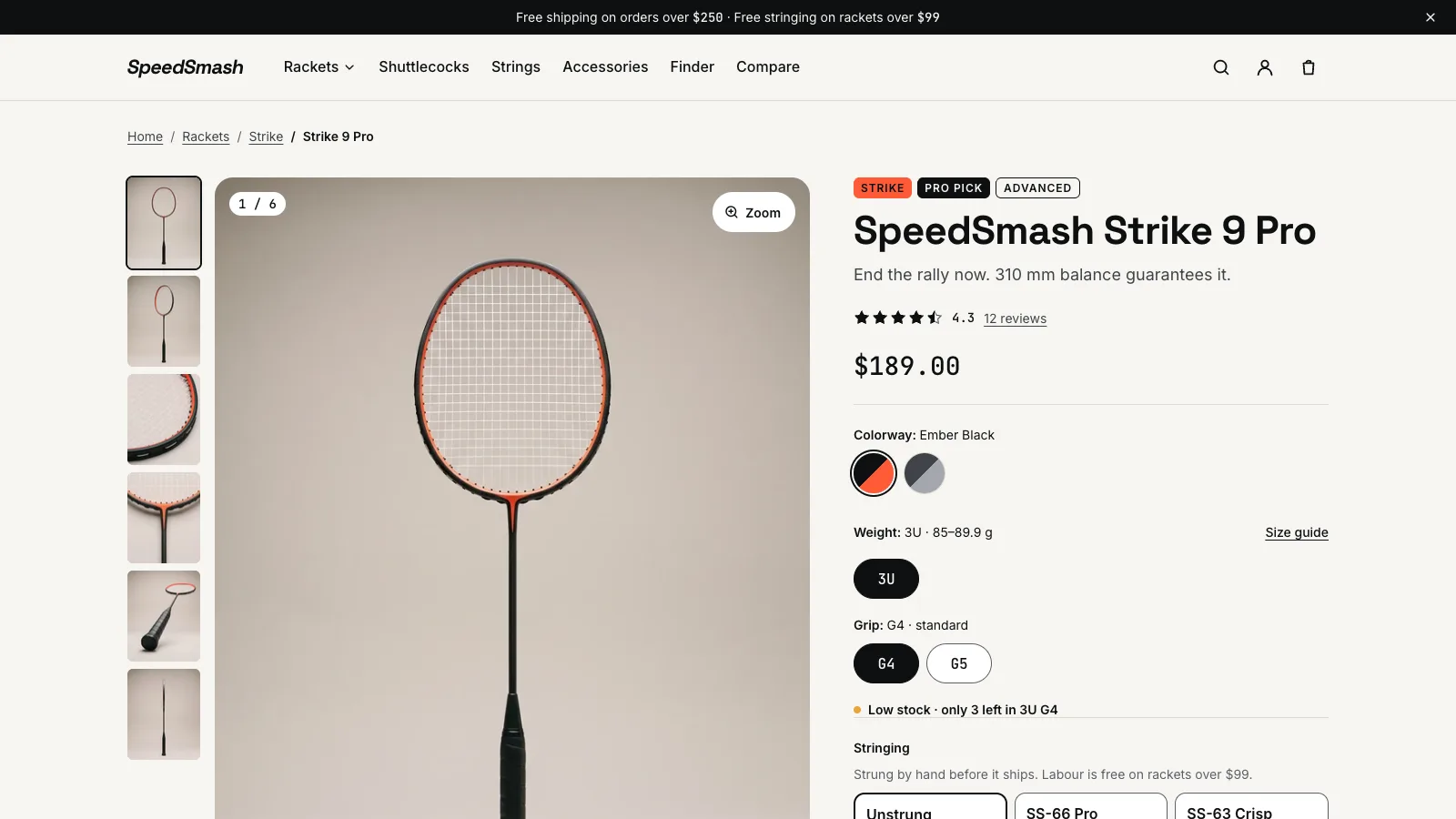
Product page with colourways, weight, grip and stringing.
Three rackets compared side by side.
Stack
ThemeLiquid, JSON templates, section groups, metafields
Front endTypeScript, web components, Vite, Section Rendering API
QualityVitest, ESLint, Theme Check, Lighthouse CI, GitHub Actions
Third-party servicesShopify features doing the heavy lifting.
FiltersSearch & DiscoveryTurns racket metafields into collection and search filters.
RenderingSection Rendering APIRe-renders the cart, filters and quick add on the server, so markup lives in one place.
CartNested cart linesKeeps a stringing service attached to the racket it was ordered with.
TrackingCustom pixelSends GA4 events only after the shopper consents.
DeploysShopify CLIPushes every merge to main live, with a preview theme for each pull request.
What this shows
01Server-renderedCart, filters and quick add re-render through the Section Rendering API, so markup lives once, in Liquid.
02Performance budgetsCritical CSS inline, section assets loaded on demand, preloaded self-hosted fonts, and Lighthouse on every pull request.
03AccessibleKeyboard-first finder, managed focus, live announcements and an accessibility score held at 95 or above.
04Safe deploysPreview themes per pull request, and live deploys that never touch what the merchant set in the editor.
Live store · password 123speedsmash-showcase.myshopify.com↗